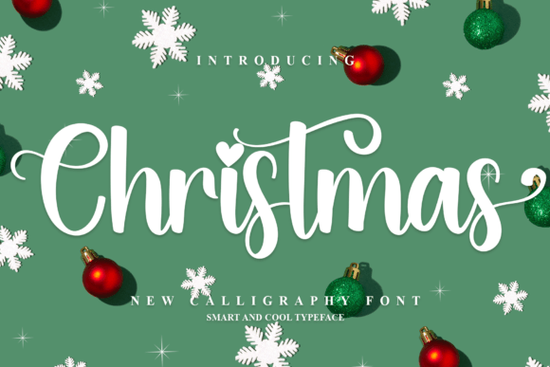
When designing holiday merchandise or seasonal greeting cards, finding the right typography sets the mood immediately and helps your products stand out in busy online shops. The Christmas Font is a festive typeface built specifically for these kinds of seasonal projects. It features decorative elements and a whimsical flair that works beautifully for print-on-demand sellers creating winter apparel, small businesses designing holiday packaging, and crafters making custom gift tags. Because it is PUA encoded, you can easily access all the extra glyphs and ligatures without needing specialized design software.
What makes a good holiday typeface for crafting?
A successful seasonal typeface needs to balance decorative details with clear readability. If the letters are too tangled, your crafters will not be able to cut them cleanly on vinyl or paper. This specific font keeps its holiday charm while maintaining distinct letterforms. The built-in ligatures connect smoothly, which is especially helpful when you are cutting continuous script for wooden signs or acrylic ornaments. If you are also looking for other seasonal options to pair with it, you might want to explore a warm and glowing alternative like the twinkling holiday script to add variety to your design library.
How do you access PUA encoded glyphs?
Many crafters and small business owners use basic software like Cricut Design Space or Silhouette Studio, which do not always support advanced OpenType features. PUA (Private Use Area) encoding solves this problem. It maps all the special swashes, alternates, and decorative elements to standard keyboard characters.
To use these extra elements, follow these simple steps:
- Open your operating system's Character Map on Windows or Font Book on Mac.
- Select the installed font from the dropdown menu.
- Scroll to the bottom sections to find the extra decorative glyphs.
- Copy the specific character you want and paste it directly into your design software text box.
This simple workaround means you do not have to buy expensive professional software just to use the full character set. It keeps the design process accessible for hobbyists and small shop owners alike.
Which projects work best with festive script fonts?
Script fonts with a holiday theme are highly useful for seasonal product lines. Print-on-demand sellers often use them for ugly sweater designs, festive coffee mugs, and winter tote bags. For paper crafters, they are ideal for folding cards, scrapbooking, and custom envelope addressing. Small businesses can use them to stamp custom tissue paper or write personalized thank-you notes for winter orders. Digital product creators can also use this typography for festive social media templates, digital planners, and printable wall art.
While this typeface is perfect for December projects, you will need different styles for other occasions throughout the year. For example, a romantic elegant bridal script is much better suited for spring wedding invitations. Similarly, if you are designing for children's birthday parties or summer camps, a playful colorful kids typeface will fit the mood much better. You can even find a charming St. Patrick's Day style for your March promotions, or a whimsical storybook style lettering for nursery decor. Having a diverse folder of fonts ensures you are ready for every seasonal shift in your business.
What should you check before printing or cutting?
Before you send your design to the printer or hit the cut button on your plotting machine, it is important to review your file carefully. Script fonts often have delicate tails and thin connecting lines that can break during the physical production process. Taking a few extra minutes to inspect your design will save you time and wasted materials.
Use this quick checklist before finalizing your holiday designs:
- Check line thickness: Ensure the thinnest parts of the letters are thick enough to cut on vinyl or print clearly on fabric without breaking.
- Weld your script: If using a cutting machine, weld or attach the overlapping letters so the machine cuts one continuous shape instead of individual overlapping letters.
- Test the kerning: Look closely at where the letters connect. Adjust the spacing manually if any gaps look awkward or if letters overlap poorly.
- Proofread carefully: Double-check your spelling before cutting expensive materials like hardwood, leather, or premium adhesive vinyl.
 Illuminating Your Christmas Font Design Projects
 Wintersnow Font: Elegant Design for Modern Projects
 Showcase Design Ideas with a Black Sample Font
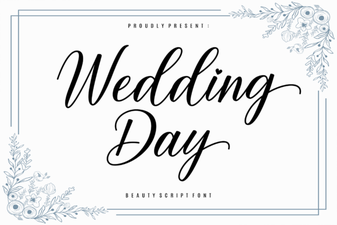 Wedding Fonts to Make Your Day Unforgettable
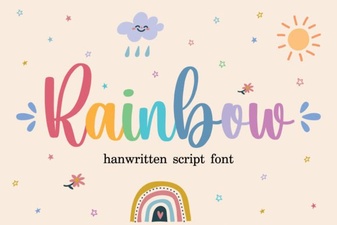 Rainbow Fonts: Adding Colorful Creativity to Design
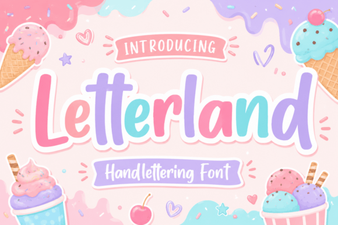 Creative Letterland Font Projects & Ideas