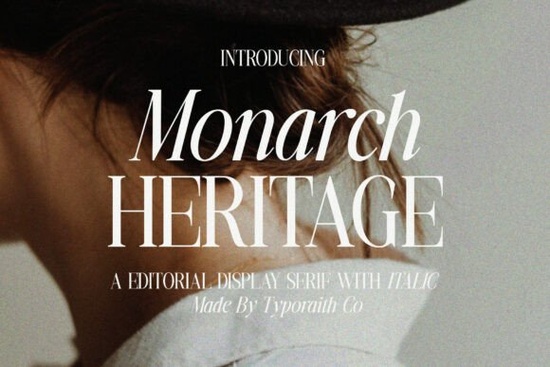
Finding the right typography for luxury branding or editorial layouts usually comes down to balancing thick and thin strokes. A well-crafted display serif adds immediate sophistication to any layout, drawing the eye and setting a premium tone. The Monarch Heritage Font does exactly this by combining refined contrast with graceful curves. It gives designers a timeless look without feeling outdated, making it a reliable choice for high-end visual storytelling across both print and digital mediums.
What projects work best with high-contrast display serifs?
Display serifs with sharp contrast shine in large formats where their intricate details can truly be appreciated. When you need to grab attention on a magazine cover, a fashion poster, or premium product packaging, the distinct Regular and Italic styles of this typeface provide a dynamic feel. The italic version, in particular, adds a graceful flow that works beautifully for wedding stationery, menu designs, and creative portfolios.
If you are working on a project that requires a slightly softer or more romantic vibe, you might look into classic wedding lettering instead. However, for sharp, modern editorial work, sticking to high-contrast serifs keeps the design looking crisp and professional. Print-on-demand sellers can use these bold letterforms on canvas tote bags, art prints, or apparel tags to create a minimalist, luxury aesthetic that appeals to high-end buyers.
How do you pair an elegant display serif with other fonts?
Pairing a highly decorative or high-contrast font requires a careful, restrained approach. The main rule is to let the display font do the heavy lifting. Use it for your main headlines, logos, or title treatments. For the body text, choose a clean, simple sans-serif or a highly readable text serif that won't distract the reader.
When building a brand identity, you want your secondary fonts to support the primary one without competing for attention. If your main headline uses Monarch Heritage, pair it with a geometric sans-serif for subheadings and a neutral, understated sans-serif for paragraphs. This creates a clear visual hierarchy that guides the viewer's eye naturally through the layout.
Sometimes, a project needs a different mood altogether. If a client wants something more playful and approachable rather than strictly luxurious, exploring softer serif options can completely change the tone of the design while keeping the overall layout grounded and legible.
Is this typeface readable for long paragraphs or just headings?
This is a common question when downloading new typography for a multi-page layout. High-contrast display serifs are specifically designed for large sizes. The thin hairlines that make the letters look so elegant in a massive title will disappear, break apart, or look muddy when scaled down to 10pt or 12pt body text.
Therefore, you should reserve this specific editorial typeface for headlines, pull quotes, logos, and short call-to-action buttons. For long-form reading, like blog posts, book chapters, or magazine articles, switch to a dedicated text serif with more uniform stroke widths. Understanding the difference between display and text faces ensures your layouts remain both beautiful and highly functional. You can review the specific glyph details of Monarch Heritage to better understand how stroke contrast affects readability at different sizes.
What are the best practices for formatting luxury typography?
Getting the most out of an elegant font involves more than just typing out a word. Small adjustments make a massive difference in the final output.
- Kerning: Always check the spacing between letters, especially in all-caps logos or short headlines. High-contrast fonts often need manual kerning to look optically balanced.
- Leading: Give your headlines room to breathe. Increase the line height slightly if you are stacking multiple words in a title block.
- Color: Dark charcoal, deep forest green, or navy often looks more refined and expensive than pure black on a white background.
- Whitespace: Surround your titles with plenty of negative space to emphasize the luxury feel and prevent the layout from looking cluttered.
How can you ensure your typography is print-ready?
Before finalizing your next design project, run through this quick typography checklist to ensure your fonts are working effectively:
- Verify that the display font is only used for large headings, titles, and logos.
- Check the kerning on all uppercase letter combinations, paying special attention to letters like A, V, and W.
- Ensure your body text font is highly readable at smaller sizes and on mobile screens.
- Test the design in both digital and print formats to check how the hairline strokes render.
- Export a test print to confirm the thin lines hold up on your chosen paper stock or packaging material.
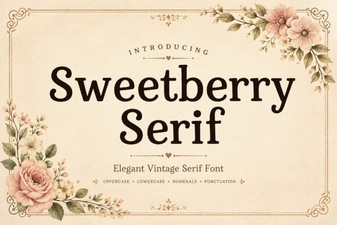 Sweetberry Serif Font: Elegant Design Projects & Tips
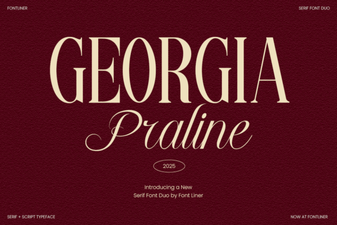 Georgia Praline Font: a Handcrafted Classic
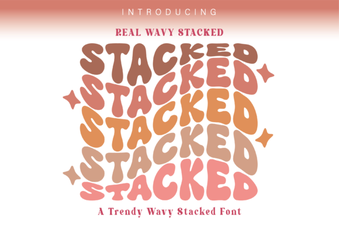 Wavy Font Styles for Creative Web Design
 Fantastic Moment Font: Creative Design Styles & Ideas
 Happy Brush Font Ideas for Joyful Projects
 Illuminating Your Christmas Font Design Projects